
Inquiries need too much manual sorting
Capture the request once, collect missing requirements and prepare a reply for review.
Workflow automation ↗See the inquiry assistant sample →AI AGENTS & AUTOMATION STUDIO
For service businesses and small operations teams: capture inquiries, prepare source-backed support replies, check invoice fields and keep records in sync. BuildZn connects the tools and adds human review where it matters.
Work directly with Umair Bilal.
Clear scope. Human review. Documented handover.
FROM REQUEST TO REVIEW
A fictional inquiry. A bounded workflow.
A person at the decision point.
“Help us organize service requests.”
Task · tools · missing information
Sample record · draft reply
Review before anything is sent
RECOGNIZE THE TASK?
For service businesses and small operations teams handling inquiries, support, documents and updates across several tools.
Capture the request once, collect missing requirements and prepare a reply for review.
Workflow automation ↗See the inquiry assistant sample →Prepare answers from approved policies, show the source and hand uncertain cases to a person.
AI agents ↗See the support assistant sample →Extract agreed fields, check missing values and totals, then review before export.
Workflow automation ↗See the document processing sample →Define which system owns each field and connect updates with validation and duplicate protection.
API integrations ↗Reproduce the failure, inspect logs and scope a repair with recovery instructions.
Automation repair ↗BUILT BY BUILDZN / PUBLIC TECHNICAL WORK
Run three workflows we built for intake, support and invoice review. Inspect actual sample outputs and source, alongside clearly labeled public technical case studies.
View all 8 projects ↗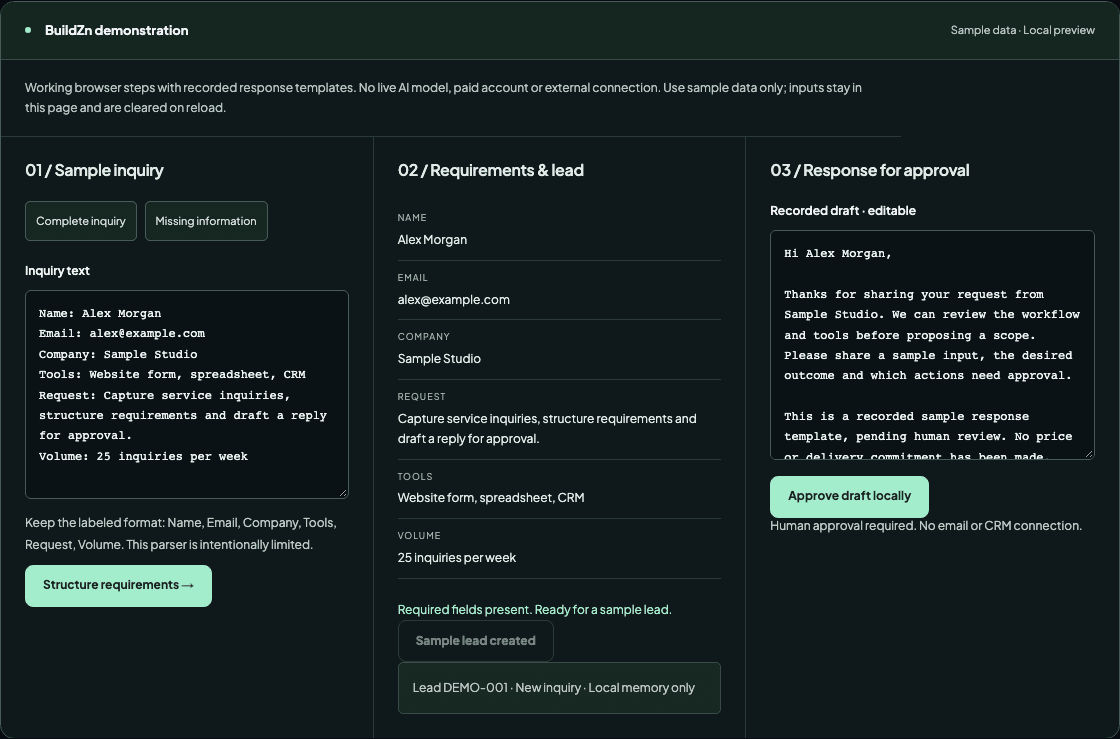 Built by BuildZn · Sample data
We built an intake workflow that structures requirements, creates a lead record and prepares an editable response for human approval. Run it with sample data.
Run the workflow ↗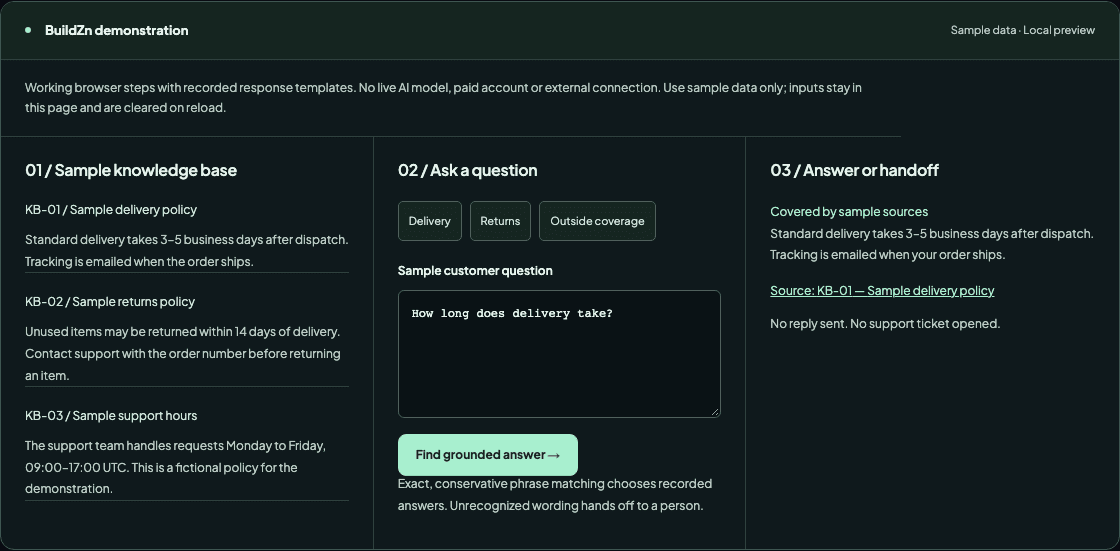 Built by BuildZn · Sample data
We built a source-linked support workflow that answers covered policy questions and prepares a human handoff for unsupported requests. Run it with sample data.
Run the workflow ↗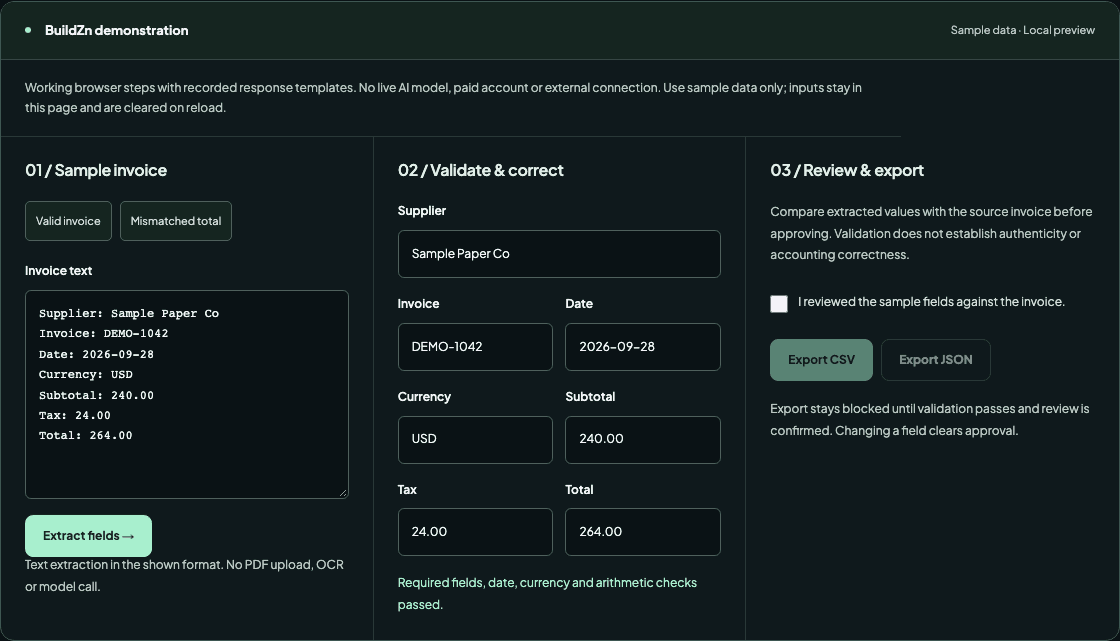 Built by BuildZn · Sample data
We built a text-invoice processor with field extraction, validation, corrections, human review and working CSV/JSON downloads. Run it with sample data.
Run the workflow ↗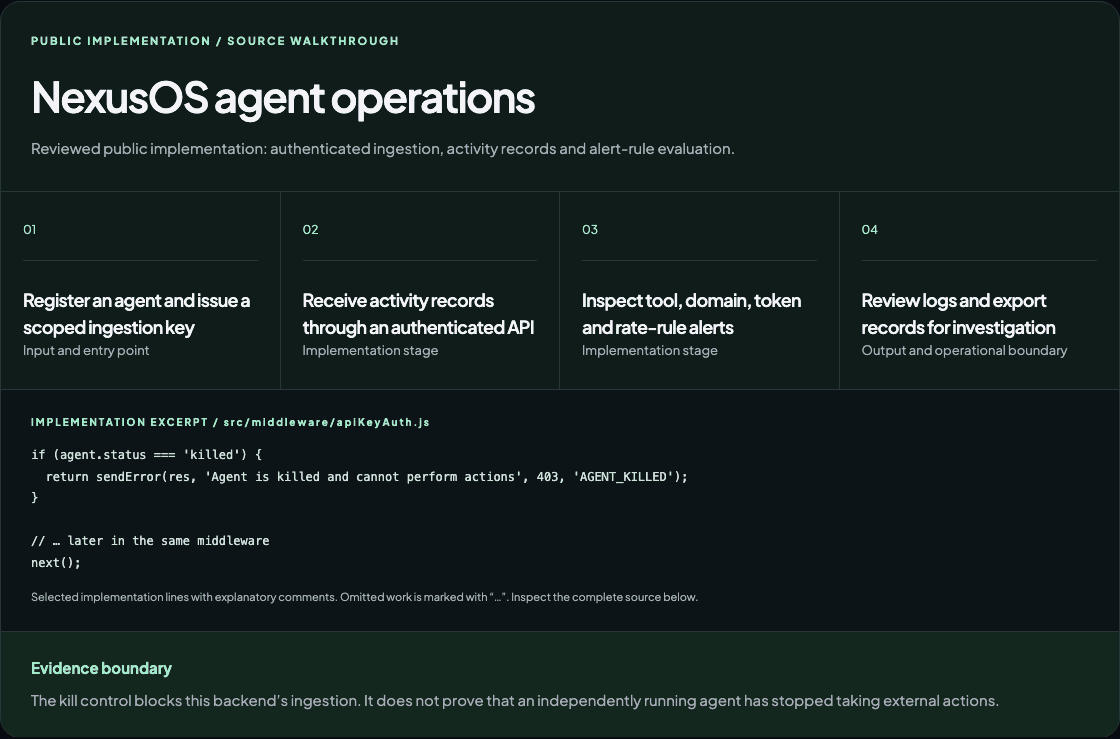 Public build · Technical case study
A public backend and dashboard build for registering agents, inspecting activity and handling operational alerts.
Read the technical case study ↗HOW I CAN HELP
Missed inquiries, repeated support questions, manual data entry or a broken integration. Start with one task and a useful outcome.
Connect intake, routing, updates and reminders across the tools your team already uses.
Assistants that structure inquiries, retrieve approved knowledge and prepare work for human review.
Reliable data exchange between your CRM, help desk, forms, databases and internal tools.
Diagnose failed workflows, unreliable agents, duplicate records and integrations that silently stop.
THE WAY WE WORK
Know what is included, evaluate the exceptions and leave with a workflow you can understand and operate.
Walk through one repetitive task, the tools involved and what happens when something goes wrong.
Agree on inputs, deliverables, approval points, acceptance tests, dependencies and price.
Review working milestones. Test normal cases, missing data, duplicates and failures against agreed examples.
Receive source, workflow documentation and account ownership guidance. Agree on monitoring and support separately.
SCOPE FIRST
The proposal defines deliverables, milestones and costs. Hosting, model usage and other third-party fees are identified separately. Support and handover are agreed before work starts.
A SMALL FIRST ENGAGEMENT
For a service business that copies incoming requests into a tracker and writes each first reply by hand. Scope one intake source, one agreed destination and a named human reviewer.
Discuss an inquiry pilot ↗Try the sample workflow →Bulk outreach, additional channels or integrations, historic data migration, ongoing monitoring and tool subscriptions. Any additions require a separate agreement.
Feasibility, final deliverables, fee and timing are agreed after reviewing your tools and sample data. If intake is not your bottleneck, we can scope a focused investigation of one other workflow instead.
YOUR AUTOMATION PARTNER
I’m Umair, the developer behind BuildZn. This is an independent AI agents and business automation studio. I work directly with you to connect your systems, define safe actions and make repetitive workflows easier to manage.
Share where you are today and what needs to work better. We’ll start there.
More about Umair ↗BEFORE WE START
Pick one repetitive task with a clear owner and outcome. Share a sample input, the tools involved and what a correct result looks like. Discovery checks feasibility before a wider build.
Only within explicitly agreed boundaries. Sending replies, changing records and financial actions need permissions and review rules. The demonstrations do not execute external actions.
A proposal attaches a price to deliverables, dependencies and acceptance tests. Model usage, tool subscriptions, hosting and maintenance are identified separately. There are no guaranteed income or savings claims.
Yes. Start with workflow access, logs and a reproducible failure. The review determines whether a focused repair or a larger change is appropriate.
It includes three browser workflows built by BuildZn using sample data, BuildZn’s own web and editorial systems, and technical case studies linked to public source. Each page identifies its evidence and limits. Public builds are not presented as client results, security certifications or proof of business outcomes.
LET’S TALK
An inquiry to route, a support question to answer, a document to process or an integration to repair. Share the task, your tools and where human review is needed.
What happens next
Your brief is saved in BuildZn’s private workspace, then an email notification is attempted for Umair. He reviews the brief personally and responds using the email you provide. Your receipt appears here on screen; no automatic email receipt or instant personal reply is sent. If a call would help, we can arrange one.